Activity attributes are the detailed characteristics that extend the plain description of a schedule activity, giving project teams a much richer view of what each piece of work actually involves. Rather than limiting an activity to a simple label, activity attributes identify the multiple components associated with each activity, from basic identifiers to complex logical relationships. These components evolve over time as the project moves through planning into execution. In the initial stages, an activity attribute set might be quite lean, containing only the Activity ID, the WBS ID, and the Activity Name. Later, as the schedule matures, the attribute set expands dramatically to include codes, descriptions, predecessors, successors, resource requirements, constraints, and assumptions. Understanding what activity attributes include and how they are used is essential for anyone responsible for building or maintaining a credible project schedule.
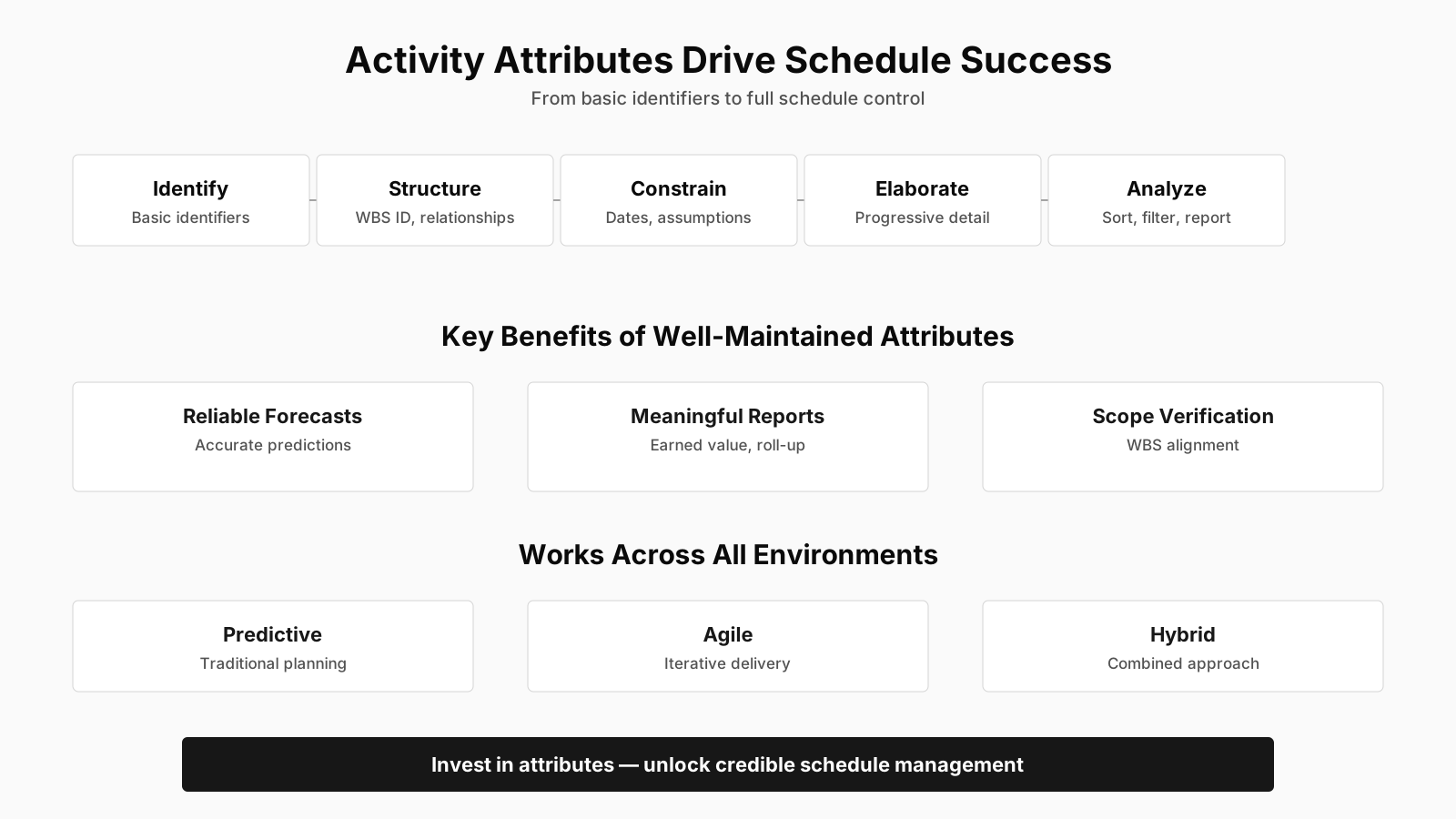
Activity Attributes: Key Topics at a Glance
| Key Concept | Summary |
|---|---|
| Activity Attributes | Activity attributes are structured characteristics that extend a schedule activity's basic description, providing a richer operational view of the work involved. |
| Progressive Elaboration | As the schedule matures, the attribute set expands to include activity codes, descriptions, logical relationships, resource requirements, constraints, and assumptions, reflecting the iterative refinement inherent in schedule development. |
| Sorting and Filtering | Effective schedule development relies on the ability to sort, filter, and analyze activities by their attributes, enabling precise grouping, progress tracking, and identification of related work packages. |
| WBS Aggregation | Activity attributes enable aggregation of activity data at any WBS level, from work package to control account, without the need to manually reconstruct relationships or dependencies. |
| Foundational Activity Fields | During initial schedule development, every activity record is anchored by three core fields: Activity ID, WBS ID, and Activity Name. |
| Activity ID Scheme | A poorly designed Activity ID scheme can create confusion during schedule updates, particularly when activities are added or removed mid-project, which can undermine traceability and data integrity. |
| Impact Analysis | The WBS ID attribute enables project managers to quickly identify all activities affected by a change request, supporting accurate assessment of schedule and cost impacts. |
| Additional Attributes | Additional activity attributes can identify the responsible individual or team, the geographic location where work is performed, and the activity type, such as level of effort, discrete effort, or apportioned effort. |
What Exactly Are Activity Attributes and Their Role in Scheduling?
At its core, the concept of activity attributes refers to the structured data fields that accompany each activity in the project schedule. While the activity list tells you what work must be done, activity attributes tell you how that work behaves, who is involved, when it can start, and what dependencies shape its execution. A project manager might think of the activity list as a table of contents and the activity attributes as the detailed index for each entry. This distinction matters because schedule development depends on being able to sort, filter, and analyze activities based on their attributes, not just their names. Without well-maintained attributes, the schedule becomes little more than an attractive list of tasks that cannot withstand rigorous scrutiny.
Relationship Between Activity Attributes and the Work Breakdown Structure
Activity attributes are closely tied to the Work Breakdown Structure, primarily through the WBS ID field. Each activity in the schedule is typically linked to a specific WBS element, which connects the schedule back to the project scope. This linkage is not just administrative; it enables roll-up reporting, earned value calculations, and scope verification. When a project manager assigns a WBS ID as an attribute, the activity inherits the hierarchical context of that WBS element. This makes it possible to aggregate activity data at any level of the WBS, from work package up to control account, without having to manually reconstruct relationships.
How Activity Attributes Differ from the Activity List
A common point of confusion is the difference between an activity list and activity attributes. The activity list is simply the inventory of activities needed to complete the project work. Activity attributes, on the other hand, are the descriptive and structural details attached to each item on that list. You cannot have attributes without activities, but you can have an activity list with minimal attributes. Many novice schedulers create an activity list and stop there, treating each activity as a standalone line item. The real power comes when those activities are enriched with attributes that capture dependencies, resource needs, and sequencing constraints. This is why the PMBOK treats activity attributes as a separate output of the Define Activities process, distinct from the activity list itself.
The Evolutionary Nature of Activity Attributes
One of the most practical aspects of activity attributes is that they are not static. During the early phases of planning, you might only know the Activity ID, WBS ID, and Activity Name. These are the minimal identifiers that let you begin building the schedule skeleton. As you progress through activity sequencing, you add predecessors and successors. When you estimate resources and durations, you attach resource requirements and imposed dates. By the time the schedule baseline is approved, each activity should carry a full set of attributes that collectively define its role in the project. This gradual enrichment is not a sign of poor initial planning; it reflects the natural iterative nature of schedule development in environments of progressive elaboration.
Core Takeaways on Activity Attributes
- Attributes define activity behavior
- While the activity list merely names tasks, activity attributes capture the structured details that determine how work actually unfolds, including ownership, start conditions, dependencies, and execution constraints.
- WBS ID enables hierarchy aggregation
- Because every activity carries a WBS ID, project managers can roll up performance data, calculate earned value, and verify scope alignment across any level of the Work Breakdown Structure, from work package to control account, without manual reconstruction.
- Progressive enrichment is natural
- The gradual refinement of activity attributes over time reflects the iterative nature of schedule development in progressive elaboration environments and should not be mistaken for a sign of flawed initial planning.
Core Components of Early Stage Activity Attributes
In the earliest stages of project scheduling, three fields form the backbone of every activity record: the Activity ID, the WBS ID, and the Activity Name. These are the minimum data elements needed to create a basic schedule framework. Without these three, you cannot reliably reference an activity, link it to scope, or communicate what the work entails. While they seem simple, early stage activity attributes establish the foundational traceability that later stages will build upon. Getting these identifiers right from the start prevents rework later when additional attributes are layered on.
Activity ID as a Unique Identifier
The Activity ID serves as the unique key for each activity within the scheduling software or project management system. It is not the same as the activity name, which can be descriptive and may change over time. The Activity ID is typically a short, stable code that remains constant even if the activity description is revised. In many organizations, the Activity ID follows a coding convention that might include the WBS element, a sequence number, or a work package code. This makes sorting and filtering much easier later. A poorly designed Activity ID scheme can cause confusion during schedule updates, especially when activities are added or deleted mid-project.
WBS ID and Scope Traceability
The WBS ID attribute points to the specific Work Breakdown Structure element that contains the activity. This is where schedule and scope integration happens. By embedding the WBS ID, the project team can verify that every activity maps to an approved scope component. Conversely, any WBS element that has no associated activities signals a potential planning gap. This two-way traceability is a cornerstone of effective scope management. When a change request affects a particular deliverable, the WBS ID attribute quickly reveals all impacted activities, allowing the project manager to assess schedule and cost effects accurately.
Activity Name for Clear Communication
The Activity Name is the human-readable label that tells team members what the activity is. Unlike the Activity ID, which is designed for system efficiency, the Activity Name should use clear, action-oriented language. A well-written activity name typically starts with a verb, such as "Develop test plan" or "Install server rack." This naming convention helps stakeholders across different functions understand the schedule without needing a decoder ring. While the name can be changed as understanding evolves, it should remain concise enough to display well in Gantt charts and reports. Overly long or cryptic names are a common source of schedule miscommunication.
Expanded Fields When Activity Attributes Are Completed
As the schedule matures, the attribute set becomes considerably richer. When completed, activity attributes may include activity codes, activity description, predecessor activities, successor activities, logical relationships, leads and lags, resource requirements, imposed dates, constraints, and assumptions. These additional fields transform the schedule from a simple list into a dynamic model of the project's execution logic. Each of these completed activity attribute fields provides a different lens through which the project manager can analyze and control the work. The number and combination of these fields vary depending on the project's complexity and the application area, but their collective purpose remains the same: to fully describe how an activity fits into the broader project network.
Activity Codes and Descriptions
Activity codes are custom fields that allow categorization and filtering beyond the standard identifiers. For example, a code might indicate the project phase, the responsible department, the work location, or the type of work. These codes are invaluable when generating reports that need to group activities by criteria other than the WBS. The activity description, meanwhile, provides a longer narrative explanation of the work to be performed. While the Activity Name is short, the description can capture detailed information about deliverables, acceptance criteria, or specific instructions. Together, codes and descriptions make the schedule self-documenting and far easier to navigate during execution.
Predecessors, Successors, and Logical Relationships
Predecessor and successor fields define the sequence in which activities can occur. A predecessor is an activity that must start or finish before another activity can start or finish. A successor is the activity that follows. These relationships are not arbitrary; they are governed by logical relationship types such as finish-to-start, start-to-start, finish-to-finish, and start-to-finish. Capturing these as attributes means the dependency logic is stored with each activity, not just drawn as lines on a Gantt chart. This allows the scheduling engine to calculate early and late dates, total float, and critical path. Without accurate predecessor and successor attributes, any attempt at network analysis is fundamentally compromised.
Leads, Lags, Resource Requirements, and Imposed Dates
Leads and lags modify the timing of logical relationships. A lag introduces a delay between activities, such as waiting two days for concrete to cure before erecting formwork. A lead, also called a negative lag, allows an overlap, such as starting a successor activity before its predecessor fully finishes. These timing modifiers are stored as activity attributes and directly affect the schedule's calculated dates. Resource requirements detail what types of resources, such as personnel, equipment, or materials, the activity needs, along with estimated quantities. Imposed dates are specific calendar dates that the activity must meet due to external constraints, like a regulatory deadline or a milestone commitment. All of these attributes work together to make the schedule realistic and executable.
Constraints and Assumptions as Activity Attributes
Constraints and assumptions represent the boundary conditions under which the activity is planned. A constraint might be a mandatory start date or a "start no earlier than" requirement. An assumption might be that a certain permit will be approved within a specific timeframe or that a vendor will deliver materials on a promised date. By including these as attributes, the project manager makes the schedule's underlying logic transparent. When an assumption fails or a constraint is violated, the impact is immediately traceable to the activities that depended on it. This transparency is essential for proactive risk management and for defending schedule decisions during stakeholder reviews.
Summary of Expanded Activity Fields
- Activity codes enable categorization
- Assigning structured activity codes lets project teams group, filter, and analyze tasks by project phase, responsible department, work location, or work type, extending classification well beyond the work breakdown structure.
- Descriptions capture detailed information
- While the activity name remains concise, the description field provides room to record deliverables, acceptance criteria, and specific execution instructions for each task.
- Predecessor and successor define sequencing
- By linking predecessor and successor relationships, these fields establish the logical sequence of activities and form the basis of the project's execution network.
- Complete attributes form a dynamic model
- When all attributes are populated consistently, the schedule evolves from a static activity list into an analytical model that supports forecasting, progress tracking, and proactive project control.
Using Activity Attributes for Responsibility, Location, and Activity Type
Beyond the standard scheduling fields, activity attributes can be used to identify the person responsible for executing the work, the geographic area or place where the work has to be performed, and the activity type such as level of effort, discrete effort, or apportioned effort. These dimensions add an operational layer that helps the team execute the schedule, not just plan it. Knowing who performs the work and where it happens turns a theoretical schedule into a practical work management tool. The activity type attribute, in particular, has significant implications for measuring performance and managing resources over time.
Assigning Responsibility Through Activity Attributes
The responsible person attribute links each activity to an accountable individual or role. This does not necessarily mean the person who does all the work, but rather the one who ensures the activity is completed as planned. In many scheduling tools, this is called the "owner" or "accountable party." Assigning responsibility early prevents the all-too-common problem of multiple people assuming someone else is handling a task. During schedule execution, this attribute supports follow-up, status updates, and issue escalation. It also feeds into RACI charts and other responsibility assignment matrices, creating a single source of truth for who is accountable for what.
Geographic Area and Place of Performance
The geographic area or place attribute records where the activity will be performed. This could be a specific building, a city, a country, or even a virtual location for distributed teams. Why does this matter for scheduling? Because location affects logistics, resource availability, travel time, and sometimes regulatory compliance. An activity performed at a remote construction site has different coordination needs than one executed in the corporate office. By capturing location as an attribute, the project manager can filter activities by region, assign location-specific resources, and identify potential conflicts when multiple activities are scheduled at the same place simultaneously. This attribute is especially critical in multi-site programs or field service projects.
Activity Types: Level of Effort, Discrete Effort, and Apportioned Effort
The activity type attribute classifies activities based on how effort is measured and how they relate to deliverables. Level of effort (LOE), discrete effort, and apportioned effort (AE) are the three primary categories recognized in project management. Discrete effort activities are those that can be directly measured in terms of work performed and that produce a tangible output, such as writing code or pouring concrete. Level of effort activities are support-type work that does not produce a direct deliverable but consumes time, like project management oversight or administrative support. Apportioned effort activities are allocated as a percentage of another discrete activity, such as quality inspection tied to manufacturing output. This classification is crucial for earned value management, because it determines how performance is measured and how progress is reported. Misclassifying an activity type can lead to distorted performance metrics and misleading reports.
How Activity Attributes Support Schedule Development and Reporting
Activity attributes are not just documentation; they are the engine that drives effective schedule development, analysis, and reporting. During schedule development, these attributes enable the scheduling software to calculate critical path, total float, and resource histograms. For reporting, they allow project managers to select, order, and sort planned schedule activities in various ways. Whether you need a list of all activities in a certain phase, sorted by responsible person, or filtered by location, activity attributes for schedule development and reporting make that possible without manual manipulation. This capability is what separates a static task list from a dynamic management tool.
Selecting Activities for Focused Analysis
Selection refers to the ability to choose a subset of activities based on specific attribute values. For example, a project manager might select all activities with a particular activity code to review progress in one workstream. Or select all activities whose responsible person is a specific team lead to prepare for a one-on-one status meeting. This filtering is only possible when attributes are consistently populated. When attributes are missing or inconsistently entered, selection becomes unreliable, and the project manager wastes time manually scanning through hundreds of rows. The discipline of maintaining complete attribute data is directly proportional to the efficiency of schedule analysis.
Ordering and Sorting for Different Report Views
Ordering refers to arranging activities in a particular sequence, while sorting is the act of grouping activities by a specific attribute. Reports often need activities ordered by start date, by WBS ID, or by critical path rank. Sorting might group activities by location, by activity type, or by resource. Activity attributes provide the raw material for these operations. Without them, every report would have to be created by manually moving rows around, which is unsustainable on large projects. The ability to reorder and resort instantly means that the same underlying schedule can support executive summaries, detailed execution plans, and resource loading charts without duplicating data.
Practical Scenarios of Attribute-Based Reporting
Consider a project manager who needs to produce a weekly executive report showing only activities that are behind schedule. Using the predecessor, successor, and constraint attributes, the scheduling tool can automatically identify activities with negative float or those that have slipped past a constraint date. Then, by selecting those activities and sorting them by responsible person, the project manager can generate a targeted list of actions for each team lead. This kind of report would be impossible if the schedule only contained activity names and dates. The richness of activity attributes directly determines the granularity and usefulness of project reporting.
Core Takeaways on Attribute-Driven Scheduling
- Engine for schedule calculations
- Activity attributes serve as direct inputs to the scheduling engine, enabling automatic calculation of the critical path, total float, and resource histograms throughout schedule development.
- Dynamic reporting and filtering
- Project managers can instantly select, sort, and filter activities by phase, responsible person, or location, converting a static task list into an interactive management view that enables faster and more precise decision-making.
- Reliable selection requires clean data
- Missing or inconsistent attributes undermine automated selection and force time-consuming manual scanning, making disciplined data entry a prerequisite for reliable, focused analysis.
Application Area Variations and the Tailoring of Activity Attributes
The number of attributes varies by application area. A construction project may need extensive location, permit, and inspection attributes, while a software development project might emphasize code modules, test cycles, and iteration versions. There is no universal standard that dictates exactly which attributes every project must use. Instead, tailoring activity attributes by application area is a recognized practice that balances completeness with practical usability. Trying to force a one-size-fits-all attribute set usually results in empty fields, frustrated schedulers, and reports that look comprehensive but carry little meaning. The key is to define the attribute set that serves the project's specific decision-making needs.
The Risk of Over-Engineering the Attribute Set
One of the most common pitfalls is adding too many attributes too early. A large organization might have a scheduling template with fifty or sixty attributes, many of which are never populated because they are irrelevant to the project. Empty attributes create noise and make the schedule look unreliable. They also increase the administrative burden on the team, who must decide what to enter in each field for every activity. The result is often inconsistent data entry, which undermines the very purpose of having attributes. Experienced schedulers recommend starting with a minimal set of critical attributes and expanding only when there is a demonstrated need that existing fields cannot meet.
BVOP Perspective on Effort Points and WBS Accuracy
From a Business Value-Oriented Project Management perspective, the emphasis shifts toward relational effort points rather than precise duration estimates. This approach acknowledges that WBS inaccuracy is common, and it warns against relying on activity attributes that are built on shaky scope decomposition. BVOPM also defines a five-level scope scale from Definite to Unlikely, where scope change is treated as user feedback rather than failure. In this context, activity attributes serve as a lightweight tagging system that supports frequent reprioritization, not as a rigid set of constraints that lock the team into a fragile plan. The lesson is that attributes should enable adaptability, not inhibit it.
Common Misconceptions About Activity Attributes
Many practitioners mistakenly believe that activity attributes are only relevant during the planning phase and can be ignored once execution begins. In reality, attributes must be updated continuously as activities are added, modified, or completed. Another misconception is that activity attributes are the same as activity properties in a scheduling tool. While similar, attributes are the conceptual data fields defined by the project management process, while properties are how a specific software implements those fields. Failing to distinguish between the two can lead to tool-centric thinking that loses sight of the underlying management purpose. Finally, some teams treat activity attributes as purely administrative and never use them for reporting, which wastes the entire investment in data entry.
Best Practices for Managing Activity Attributes Throughout the Project Lifecycle
Effective management of activity attributes is not a one-time exercise. It requires a deliberate approach that spans the entire project lifecycle, from initial planning through schedule control. The most successful project teams treat activity attributes as living data that evolves alongside the schedule itself. This means establishing clear rules for attribute definitions, ensuring consistent data entry, and regularly auditing the attribute set for completeness and relevance. Managing activity attributes across the project lifecycle is a discipline that pays dividends every time the schedule is updated or a report is generated. Without this discipline, even the most carefully designed attribute framework will degrade into inconsistency and uselessness.
Establishing Attribute Standards and Coding Conventions
The first best practice is to define, in writing, what each attribute means and how it should be populated. For example, does the Activity ID follow a specific format? Are activity codes defined as a fixed list, or are they free-form? Who is responsible for entering predecessors and successors? Answering these questions upfront prevents the schedule from becoming a patchwork of individual interpretations. Many organizations create a simple data dictionary that documents each attribute, its purpose, allowed values, and update frequency. This dictionary becomes the reference point for anyone who touches the schedule, from the project manager to administrative support staff. It is not bureaucratic overhead; it is the foundation of data quality.
Regular Audits and Validation of Attribute Completeness
Even with clear standards, attributes can become stale or missing as the project progresses. Activities might be added without full attribute population, or resources might be reassigned without updating the responsible person field. A regular audit, perhaps monthly or at the start of each reporting cycle, can catch these gaps early. The audit typically involves running queries that identify activities with missing predecessors, blank resource requirements, or unassigned owners. Some scheduling tools have built-in validation checks, but a manual review is still necessary to catch semantic errors, such as a predecessor relationship that goes the wrong direction. These audits are not about blame; they are about maintaining the integrity of the schedule model.
Updating Attributes During Change Control and Replanning
Whenever a change request is approved, the affected activity attributes must be revisited. A approved scope change might add new activities, delete others, or alter logical relationships. The approved change should be reflected in the activity codes, descriptions, assumptions, and constraints. Failure to update attributes during change control creates a disconnect between the approved plan and the schedule's underlying logic. This disconnect often manifests as phantom constraints that no one remembers placing, or predecessors that no longer make sense. Treating attribute updates as a mandatory part of the change control closure process ensures that the schedule remains an accurate representation of the approved project plan.
Managing Attributes as Living Data
- Treat attributes as living data
- High-performing project teams treat activity attributes as evolving information that requires continuous refinement from initial planning through schedule control.
- Create a data dictionary
- A centralized data dictionary that defines each attribute's purpose, allowable values, and refresh cadence prevents the schedule from becoming a patchwork of inconsistent assumptions.
- Audit and enforce through change control
- Periodic audits reveal missing predecessors, unassigned resources, and unclear ownership; requiring attribute updates as part of change control closure keeps the schedule aligned with the approved plan.
Activity Attributes in Agile and Hybrid Environments
While the traditional view of activity attributes comes from predictive project management, the concept adapts naturally to agile and hybrid environments. In Scrum, for example, user stories and tasks are essentially activities, and their attributes include story points, sprint assignments, acceptance criteria, and dependencies. A Kanban board relies on attributes like work item type, priority, and workflow state to manage flow. The underlying principle is the same: structured data attached to work items enables better planning, tracking, and reporting. Activity attributes in agile project delivery may look different in form, but they serve the same function of extending the basic work description with operational and analytical context.
Mapping User Story Fields to Traditional Activity Attributes
A user story in an agile backlog has many of the same attributes as a traditional schedule activity, just under different names. The story ID corresponds to the Activity ID. The epic or feature linkage corresponds to the WBS ID. The story title corresponds to the Activity Name. Acceptance criteria serve as an expanded description. Dependencies between stories map to predecessors and successors. Story points, while not the same as duration, function as a relative effort attribute similar to resource requirements in their intent to guide planning. This mapping helps hybrid teams communicate across methodologies and ensures that data from one approach can be aggregated into program-level reporting without losing meaning.
Using Attributes to Manage Flow and Work in Progress
In agile and Kanban contexts, attributes like priority, blocked status, and work item age become critical for managing flow. A team might select all blocked items during a daily standup to discuss impediments. They might sort by work item age to identify items that have been stuck too long. These are exactly the same operations that traditional project managers perform with activity attributes: selecting, ordering, and sorting to focus attention where it is needed. The difference is that agile teams often update these attributes in real time as part of their daily routine, while traditional schedules may be updated less frequently. The lesson for traditional practitioners is that frequent, lightweight attribute updates can accelerate decision-making.
The Role of Automation in Attribute Management
Modern project management tools increasingly automate the population and updating of activity attributes. Integration with version control systems can automatically set attributes like code commit status or test results. Workflow automation can update an activity's status attribute when certain conditions are met. This reduces the manual data entry burden and improves accuracy. However, automation also requires careful configuration to avoid overwriting meaningful human judgment with algorithmic defaults. The best approach is to automate where the data source is reliable and structured, and retain manual control where interpretation is required. This balanced use of automation keeps activity attributes fresh without sacrificing the human insight that makes them valuable.
Conclusion: The Practical Value of Well-Managed Activity Attributes
Activity attributes are far more than a set of fields in scheduling software. They are the connective tissue that links scope, schedule, resources, and risk into a coherent management picture. From the earliest Activity ID and WBS ID to the later logical relationships, constraints, and assumptions, each attribute adds a layer of understanding that enables better decisions. Project managers who invest time in defining, populating, and maintaining these attributes gain a powerful analytical capability that supports everything from critical path analysis to executive reporting. The evolution of these attributes from initial to completed states mirrors the progressive elaboration of the project plan itself. Mastering activity attributes for project success is not about bureaucratic perfection; it is about building a schedule model that accurately reflects reality and supports disciplined delivery.
The practical challenge is not knowing what activity attributes include, but committing to the ongoing effort required to keep them accurate and useful. Teams that treat attributes as a living part of the schedule, rather than a one-time data entry chore, will consistently produce more reliable forecasts and more meaningful reports. Whether working in a predictive, agile, or hybrid environment, the underlying principle remains the same: structured, well-maintained work descriptions unlock the full potential of project scheduling and control. The next step is to review your current schedule and ask whether its activity attributes are truly serving your management needs, or simply filling columns.
Key Takeaways on Attribute Value
- Attributes as connective tissue
- Well-maintained activity attributes connect scope, schedule, resource, and risk information into one integrated view, giving project leaders the context needed to make sharper trade-off decisions.
- Enabling analysis and reporting
- A disciplined approach to defining, populating, and maintaining attributes creates a reliable analytical foundation for critical path analysis, resource optimization, and executive reporting.
- Requires ongoing maintenance
- Treating attribute maintenance as an ongoing discipline rather than a one-time setup task keeps project data trustworthy, which directly strengthens forecast accuracy and report credibility.
- Universal across methodologies
- Across predictive, agile, and hybrid delivery approaches, well-maintained activity attributes enable more precise scheduling and stronger project control.